Keep it interactive.
A browser export carries supported controls and local assets. Online media still needs a connection.
PRESENTATIONS, WITH POSSIBILITIES
Create presentations that respond, move and invite people in.
Build with your AI agent. Edit the words. Take a living, interactive scene to the room.
Free Mac preview · Your AI client, your choice
01 / EXPLORE A MODEL
Move the slider. Watch the idea respond.
02 / FOLLOW A JOURNEY

Make a connection. Let it unfold.
03 / REVEAL AN IDEA
1 of 3 · Begin with a question.
A browser demonstration of the kinds of scenes you can create.
THE FREEDOM OF THE WEB.
THE FOCUS OF A PRESENTATION.
01 / A BIGGER CANVAS FOR YOUR IDEAS
A number can become a model. A place can become a journey. A complex idea can unfold one clear step at a time.

Animate routes and relationships. Let the reveal carry the meaning.
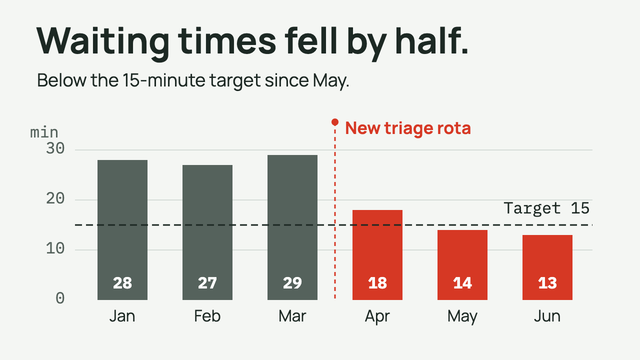
Build charts and simulations that make an explanation tangible.

Use type, rhythm and space to let a simple statement land.
Rendered from bundled starter scenes, with illustrative content.
Try the interactive examplesYour presentation is ordinary HTML, CSS and JavaScript.
That means your agent can build the scene your idea needs.
02 / YOU + YOUR AGENT
“Help them feel
what changes when
one small decision
starts to compound.”
Write and arrange your speaker notes in Story. Your narrative gives the design a purpose.
Hand a scoped request to your external AI agent. It authors the scene while preserving your notes.
Edit wording visually, work with the source, check the saved scenes and rehearse the controls. Then present.
03 / MADE FOR THE MOMENT IN THE ROOM
What you control in the presenter view happens on the audience’s slide. Your notes stay on your side.
Pause here. Ask the room what they would change. Let the next idea arrive with them.
Try it. Both views follow the same reveal.
Workflow illustration. This page is not connected to a desktop presentation.
Advance, go back and operate the slide from the presenter view.
Your Story notes and next-action cues support your delivery.
Use Freeze or Blackout while you prepare the next moment.
04 / AFTER THE APPLAUSE
Share the experience, hand over an editable deck, or send a familiar document.
A browser export carries supported controls and local assets. Online media still needs a connection.
Package the editable deck, assets and notes for another compatible DeckCoderAI installation.
Export static slides or handouts. PowerPoint contains slide images with optional editable notes.
A FEW THINGS TO KNOW
Your AI agent can author the HTML, CSS and JavaScript. You can edit wording visually, write notes and present in the app. Custom scenes still need review and rehearsal.
Use an external client such as Codex, Claude Desktop, Cursor or VS Code with the app’s local agent connection. DeckCoderAI does not include or run an AI model. Your client’s availability and charges are separate.
This preview creates and opens DeckCoderAI v5 presentations. It does not import PowerPoint. PowerPoint exports contain slide images, not editable native slide objects or interactive controls.
Presentation files, assets, notes and history stay on your computer. An external agent can receive content you share or authorise it to read. Cloud sync and collaboration are not included.
The signed and notarised preview was tested on Apple M3 Pro with macOS 27.0.1. Intel, other macOS versions and a physical second display/projector remain unverified. Read the download details and rehearse on your setup.
YOUR NEXT PRESENTATION STARTS WITH A POSSIBILITY.
Free for personal, educational and commercial use.
Early preview. Bring your own AI client.